What stone is this? How to read a crystal picture
First decide what you want to name in the picture. A crystal growing on a rock and the rock beneath it can have different names. Trace the outline of one crystal, look at how its sides meet, and compare that shape with a labeled specimen.
In this guide
Read the quartz photo one crystal at a time
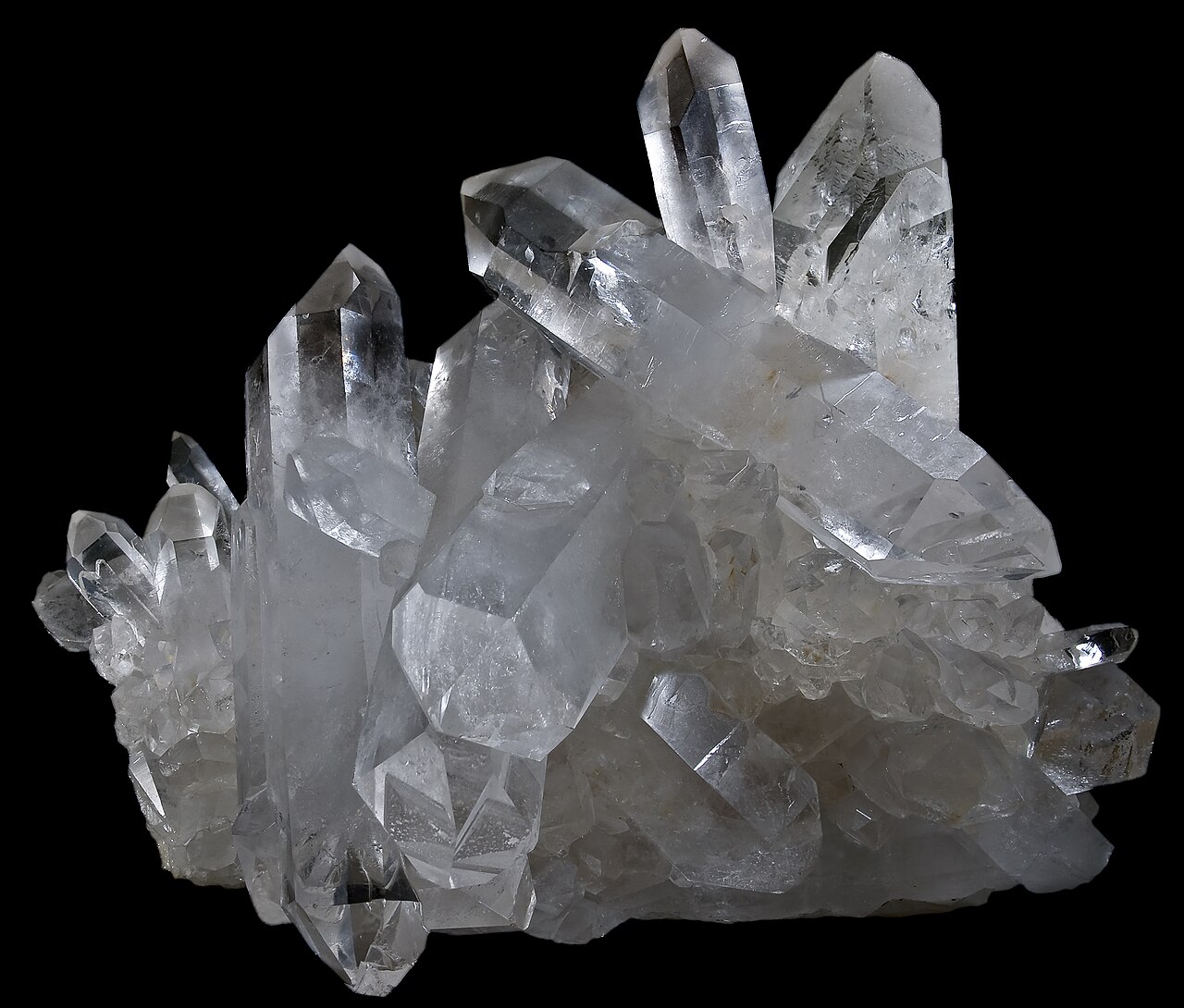
In the opening photo, pick one of the taller clear points. Follow a long side face up to the smaller faces that meet at the tip. Then look at a neighboring point. The repeated shape is easier to recognize than the outline of the whole cluster. Compare it with the labeled views in the quartz crystal guide. A cropped picture of only the white base would give you much less to work with.
 ROCK SCAN
Identify your rocks
Take a photo to explore a possible match.
iPhone and Android · In-app purchases
What if the unknown crystal is purple?
Start with two possibilities, amethyst and fluorite. Look at the outline before comparing shades. A long prism ending in a point supports amethyst. A naturally cube-shaped crystal makes fluorite worth considering. See both growth shapes in the amethyst and fluorite comparison. A purple bead with a drilled hole has been shaped by a person, so its roundness tells you little about how the crystal grew.
When someone sends you just one picture
Ask for the view that would change your answer. If you can see the tip but the base is cropped out, ask for the whole specimen. If the object is polished, ask whether there is an unpolished underside. If it is a listing photo and no other view is available, record which features you could actually see. A label such as “purple, polished, identity uncertain” leaves room to revise it later.
Compare a saved picture with an app result
Choose the picture from your library in the stone identifier app, then check the feature supporting the suggested match. Does the picture actually show the crystal faces the result describes? If those faces are hidden, keep the match provisional. For another worked example, see the actual scan of a glossy black specimen.
Sources
ROCK SCANIdentify your rocks
Take a photo to explore a possible match.
iPhone and Android · In-app purchases